How to Keep Kids Entertained on Long California Road Trips
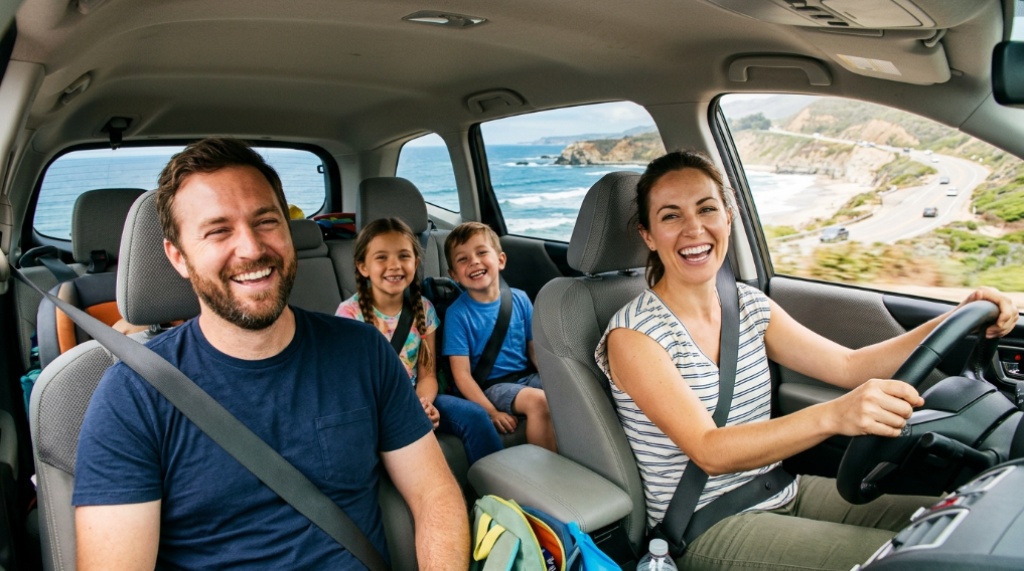
Somewhere between the Grapevine and Kettle man City, the novelty wears off. The view is almond orchards and truck stops, the next exit can be 20 minutes away, and your kid has asked “how much longer” twice in the past hour. California drives are genuinely long: Los Angeles to San Francisco runs roughly 380 miles, and even a “short” trip to Yosemite can mean three hours of two-lane highway. Entertainment has to be planned in layers rather than improvised at mile 50. If you’re still deciding what to pack, GiftTeen.com covers kid-friendly gear such as the Amazon Fire 7 Kids Tablet for California drives. The strategies below focus on what actually holds attention when the scenery stops changing.
Quick Answer
Keep kids entertained by planning in 45–60 minute blocks and rotating between four categories: audio (audiobooks, podcasts, music), hands-on activities (sticker books, dry-erase games, magnetic travel games), social games (license plate hunt, 20 Questions), and offline screen time. Download everything before you leave, bring more charging capacity than you think you need, and time your longest screen sessions for the boring middle stretch of the drive rather than the first 30 minutes.
Key Takeaways
- California’s long, exit-sparse stretches on I-5, Highway 395, and Highway 1 mean you can’t count on stopping whenever a kid melts down — plan entertainment in advance.
- Audio is the most underrated tool: an audiobook or podcast occupies a child while still letting them look out the window, which helps with motion sickness.
- Download offline content before leaving home; cell service disappears on parts of Big Sur, the Sierra foothills, and desert routes.
- Heat is a real constraint — electronics left in a hot parked car can overheat or shut down, and so can kids who aren’t drinking water.
- The best stops are the ones that let kids run, not just eat: parks, ghost towns, and bakery stops beat another drive-through.
Why California Road Trips Wear Kids Out Faster
Distance is only part of the problem. Three California-specific factors make these drives harder than a comparable trip in a denser state.
Long gaps between services. On Interstate 5 through the Central Valley, exits with gas, food, and restrooms can be far apart. If a child hits their limit between Coalinga and Kettle man City, your options are limited to whatever is in the car.
Dead zones. Parts of Highway 1 through Big Sur, stretches of Highway 395, and remote desert routes have weak or no cell signal. Streaming music or video on the road is unreliable; anything that needs a connection should be downloaded first.
Heat and altitude swings. A summer drive from the coast to the Central Valley or Mojave can move from foggy and cool to well over 100°F in a few hours. Kids get thirsty, cranky, and carsick faster in heat, and tablets can overheat and shut off mid-movie.
None of this is a reason to skip the trip. It just means the entertainment plan needs to work without Wi-Fi, without frequent stops, and without relying on the weather cooperating.
The Rotation Method: Plan in Blocks, Not Hours
Most parents pack one big distraction — usually a tablet — and discover it buys about 40 minutes. A better approach is to plan the drive in blocks and rotate activity types so no single thing gets stale.
A workable rhythm for each 45–60 minute block:
- Open with something social. A game you play together, a snack, or a “what’s the weirdest thing you can see out the window” challenge. This resets the mood after a boring stretch.
- Move to a solo activity. Sticker book, drawing, magnetic puzzle, or an audiobook with headphones.
- Save screens for the flat middle. The stretch where there’s nothing to look at is when a movie or game is worth the most.
- Close with a countdown to the next stop. “Twenty minutes until we get out and stretch” is easier to accept than an open-ended drive.
The rotation matters more than the specific activities. Novelty is the actual resource you’re managing, and switching categories restores it more effectively than switching apps, Before you head out on your adventure, make sure to pack sustainable entertainment by checking out our guide on plastic-free toys for kids that last for years.
Age-by-Age: What Holds Attention and What Doesn’t
Toddlers (roughly 2–4)
Toddlers don’t need entertainment so much as they need comfort and predictability. What works: board books, window clings, a small bag of toys rotated every hour, sing-along music, and frequent snack breaks. What backfires: long movies (attention span won’t stretch that far), anything with small pieces that will end up under the seat, and tight schedules that skip nap time. If you can, drive during nap hours and treat the awake hours as bonus time.
Early elementary (roughly 5–8)
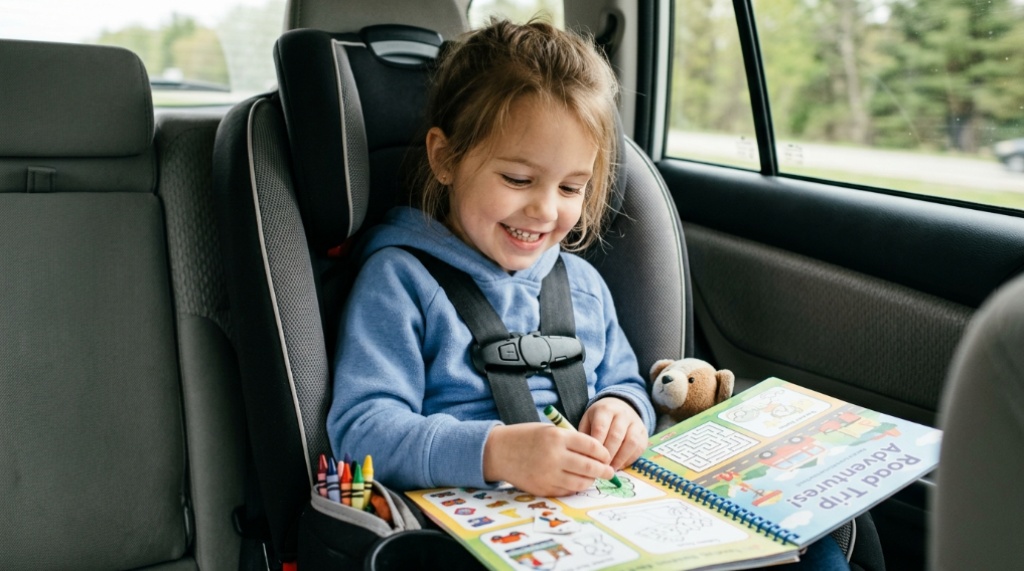
This is the sweet spot for road trip games. Kids this age can follow rules, read simple text, and genuinely enjoy spotting things. License plate bingo, I Spy, 20 Questions, and audiobooks with a strong narrator all work well. Sticker books, dry-erase activity books, and magnetic travel games survive the car better than anything with loose parts. Tablets work here too, especially for downloaded shows and simple games — just expect them to need help with volume, charging, and finding things.
Tweens and teens (roughly 9–14)
Older kids usually want autonomy more than entertainment. Give them headphones, control over their own playlist or audiobook, and a say in where you stop. A teen who chose the lunch stop is far less likely to complain about it. Car-wide games can still land if they’re genuinely funny rather than childish — “would you rather” questions and trivia tend to work better than sing-alongs.
Screen Time That Earns Its Keep
Screens are the most reliable tool on a long drive, but only if you set them up before you leave the driveway. Four things matter more than which device you own.
- Offline downloads. Download shows, movies, and games in advance. Check that each title actually plays in airplane mode before you rely on it.
- Power. Bring a multi-port car charger and the correct cables for each device. A single USB port shared between two kids is a fight waiting to happen.
- Audio privacy. Headphones (or a headphone splitter for two kids sharing a screen) prevent the entire car from hearing the same episode eight times.
- Heat management. Don’t leave tablets on the dashboard or in a parked car on a hot day. If a device shuts down from overheating, let it cool rather than restarting it repeatedly.
One practical note: reading or watching a screen in a moving car can trigger motion sickness in some kids, especially on winding routes like Highway 1 or the road into Yosemite. If your child is prone to it, audio is the safer option and screens are better saved for straight, flat stretches.
Low-Tech Games and Activities With California Twists
Generic car games get old fast. Anchoring them to what’s actually outside the window keeps them interesting for longer.
- Windmill count. The Altamont Pass and parts of the Central Valley are dotted with wind turbines. First to 50 wins.
- Crop spotting. Almond orchards, citrus groves, vineyards, and strawberry fields all look different. Ask kids to guess what’s growing before you pass it.
- Landmark bingo. Make a simple card before the trip with items like “Joshua tree,” “cow,” “snow-capped mountain,” “ocean,” and “tunnel.”
- License plate hunt. The classic still works, especially on I-5 where out-of-state plates are common.
- Story chain. One person starts a story with a single sentence, and each person adds one. California settings — a ghost town, a desert highway, a foggy coast — make it easier to keep going.
Hands-on backups worth packing: sticker books, a small dry-erase board, pipe cleaners, washi tape, a magnetic travel puzzle, and a spiral notebook with a fresh pack of markers. These cost little and often outlast the expensive stuff.
Choosing What to Bring: A Quick Comparison
Different entertainment types solve different problems. This table is a rough guide to which one fits which moment.
| Option | Best for | Typical attention span | Main drawback |
|---|---|---|---|
| Audiobooks and podcasts | Kids 5+, winding roads, motion-sickness-prone riders | 30–60+ minutes | Requires headphones or car speakers; needs pre-downloading |
| Offline video on a tablet | Flat, boring stretches; kids 4+ | 45–90 minutes | Battery drain, overheating in heat, can worsen car sickness |
| Hands-on kits (stickers, dry-erase, magnets) | Toddlers through age 8 | 15–30 minutes per activity | Pieces get lost; needs a lap tray or flat surface |
| Car games (license plates, 20 Questions) | Mixed ages, when everyone is awake | 15–40 minutes | Needs adult participation; fizzles if kids are tired |
| Music and playlists | Any age, any stretch | Varies | Repetition fatigue; disagreements over song choice |
Stops, Snacks, and Motion Sickness
Three unglamorous factors decide whether a long drive goes smoothly, and none of them are about entertainment in the usual sense.
Stops should include movement. A restroom-and-drive-through stop doesn’t burn off energy. Look for places where kids can run for 15 minutes: a park, a beach pullout, a ghost town like Calico near Barstow, or the Sundial Bridge area in Redding. Bakery stops such as Schat’s in Bishop or Pea Soup Andersen’s in Santa Nella also give kids something to look forward to, which makes the preceding hour easier.
Snacks should be low-mess and slow to eat. String cheese, crackers, grapes, and pretzels work better than anything chocolate or powdered. Avoid heavy meals right before a winding section of road, and keep water accessible — kids drink less when they have to ask for it.
Motion sickness is easier to prevent than fix. Fresh air, a window seat, and looking at the horizon all help. Reading and screens make it worse. If your child is prone to it, ask a pediatrician about options before the trip rather than experimenting on the road.
A Sample Six-Hour Drive Plan
Here’s how the rotation looks in practice on something like a Los Angeles to Bay Area run.
- First hour: Music, conversation, and a snack. Everyone is still excited; don’t waste the tablet yet.
- Hour two: Audiobook or podcast. This covers the long, dull stretch through the Central Valley.
- Stop: 20–30 minutes of real movement, restrooms, and food.
- Hour three: Hands-on activities — sticker books, dry-erase games, or a landmark bingo card.
- Hour four: Screen time. This is the point where attention is lowest and a movie buys the most peace.
- Final stretch: Car games, a countdown to arrival, and a playlist everyone agrees on.
Adjust the order to your kids, but keep the principle: alternate between activities that use hands, ears, and eyes so no single one gets exhausted.
Mistakes That Make the Drive Feel Longer
- Handing over the tablet in the first 20 minutes. You lose your best tool before you need it.
- Assuming you’ll find Wi-Fi. Download everything, and test it in airplane mode.
- Packing one activity per child. Bring three or four small options each and rotate.
- Skipping the pre-trip briefing. Kids handle a long drive better when they know how many hours it is and where the stops are.
- Ignoring heat. Water, shade at stops, and keeping devices out of direct sun prevent most mid-drive meltdowns.
Frequently Asked Questions
How do I keep a toddler entertained on a long California drive?
Focus on comfort and rotation rather than complex activities. Bring board books, window clings, a small bag of toys you swap every hour, and plenty of snacks. Time the drive around nap hours when possible, and plan stops where a toddler can actually run around rather than just sit in a stroller.
Do tablets work without Wi-Fi on a road trip?
Yes, if you download content in advance. Movies, shows, audiobooks, and many games can be stored on the device and played in airplane mode. Test each item before you leave home, because some apps require a periodic connection to verify access.
How much screen time is reasonable on a road trip?
There’s no universal number, but a common approach is to treat screens as one of several activities rather than the default. Rotating screens with audio, games, and hands-on activities tends to stretch attention further than unlimited screen time, which often leads to fatigue and irritability later in the drive.
What are good kid-friendly stops between Los Angeles and San Francisco?
Popular options include Pea Soup Andersen’s in Santa Nella, Harris Ranch near Coalinga, and the Bravo Farms stop in Kettle man City, all of which break up the long I-5 stretch. If you’re taking Highway 101 instead, San Luis Obispo, Morro Bay, and Santa Barbara offer more room to walk and play.
How do I prevent car sickness on winding California roads?
Seat the child where they can see out the front or side window, keep the air moving, and avoid reading or screen use on winding sections. Encourage them to look at the horizon rather than down at a device. If car sickness is a recurring problem, talk to a pediatrician before the trip about appropriate options.
What should I pack for a desert drive in California?
More water than you think you need, sun protection, a shade option for stops, and a backup plan if a device overheats. Keep electronics out of direct sun, avoid leaving anyone or anything in a parked car during hot weather, and check road and park conditions before you go, since some areas require reservations or have seasonal closures.
Conclusion
The drives that go well aren’t the ones with the most gear — they’re the ones where parents planned in blocks instead of hoping one distraction would last. Rotate between audio, hands-on activities, games, and offline screens; download everything in advance; and build stops around movement rather than just food. Do that, and a six-hour California haul becomes manageable instead of endless. Start by making a simple activity list for your route, then pack three or four small options per child and leave the rest for the next trip.